


Counter Craft
Counter Craft: The Ultimate Voxel FPS Experience
Introduction
In the world of browser-based gaming, few genres are as perennially popular as the First-Person Shooter (FPS). Combine that with the visual charm of voxel-based “block” worlds, and you get Counter Craft. This game serves as a bridge between the tactical intensity of games like Counter-Strike and the creative, blocky aesthetic of Minecraft. It offers a fast-paced, accessible shooting experience directly in your web browser, requiring no downloads or heavy installations.
What is Counter Craft?
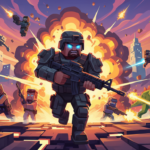
Counter Craft is a single-player survival shooter built using HTML5 and WebGL technologies. It drops players into a procedurally generated arena filled with cover obstacles and spawning enemies. The visual style is distinctly “voxelated,” utilizing simple geometric shapes and flat colors to mimic the retro-3D look that has defined the last decade of indie gaming. The objective is simple: survive as long as possible against endless waves of enemies while racking up a high score.
Game Features
* Instant Playability: As an HTML5 game, Counter Craft loads instantly in any modern browser (Chrome, Firefox, Edge). There are no steam keys or large updates to wait for.
* 3D Voxel Graphics: The game utilizes a fully 3D engine to render a world of blocks. The enemies are represented as red “creeper-sized” blocks, and the environment features destructible-looking cover.
* Fluid Controls: Utilizing the “Pointer Lock” API, the game captures your mouse cursor to provide true 360-degree aiming, identical to native desktop PC shooters.
* Survival Gameplay: Unlike objective-based shooters, this is an arcade survival mode. The difficulty ramps up as more enemies spawn, testing your reflexes and ammunition management.
How to Play
Mastering Counter Craft requires familiarity with standard FPS controls. Here is a quick guide to get you started:
Controls
Movement:** Use the *W, A, S, D keys to move forward, left, backward, and right respectively.
Aiming:** Move your *Mouse to look around the arena.
Shooting:** Click the *Left Mouse Button to fire your weapon.
Reloading:** Press *R to reload your weapon when your magazine is empty.
The Interface
* Health: Displayed in the top left. If an enemy touches you, you lose health. Reaching 0% ends the game.
* Ammo: Displayed in the bottom right. You have 30 shots before you need to reload. Keep an eye on this!
* Score: You earn points for every enemy eliminated.
Strategies for Survival
1. Keep Moving: In Counter Craft, standing still is a death sentence. Enemies move directly toward you. Use “strafing” (moving sideways with A and D) to circle around enemies while keeping your crosshair focused on them.
2. Manage Your Reloads: The worst time to reload is when an enemy is right in front of you. Try to press ‘R’ after clearing a small group, even if your magazine isn’t completely empty, so you are prepared for the next wave.
3. Use Cover: The arena is filled with brown blocks. While enemies will try to walk around them, you can use these blocks to break the line of sight or funnel enemies into a “choke point” where they are easier to shoot.
4. Listen to Audio Cues: The game features synthesized audio for shooting and hits. If you hear the “empty click” sound, reload immediately!
Conclusion
Counter Craft is a perfect example of how far web technologies have come. It provides a fun, responsive 3D shooting experience without the bloat of modern AAA titles. Whether you have 5 minutes to kill during a break or want to challenge your high score, jump into the arena and start blasting those blocks!